 7723 Game Box


309MB
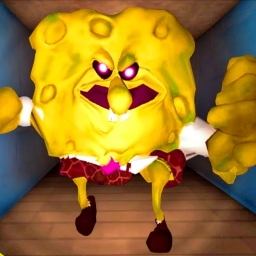
Enjoy a fun cooking adventure with SpongeBob through the Sponge Bottom Restaurant and Kitchen! When Mr. Krabs realized there was more money to be made in the fast-food business, the budget-conscious entrepreneur began to expand his empire, starting with a breakfast stand in front of SpongeBob's house... more than SpongeBob could help him run it himself?


302MB
Let's start cooking! Join SpongeBob SquarePants in a variety of restaurants and kitchens in Beechburg and embark on an interesting cooking adventure! Crab boss found that the fast food business allows him to make more money faster, so the very stingy entrepreneur decided to expand his business territory, the first step is to set up a breakfast stand in front of SpongeBob SquarePants home ...... In addition to SpongeBob SquarePants, who else can better help him? Delicious Features: • Make food in the animation of SpongeBob and enjoy a fun and fast-paced cooking game experience! Watch the exclusive and interesting story of "SpongeBob SquarePants: King of Crab Castle" Interact with Crab Boss, Patrick, Squidward, Sandy and many familiar faces! • Visit your favorite SpongeBob landmarks and cook food! • Design your own Beechburg Restaurant! Hundreds of levels allow you to master cooking and become the best chef! • Beautiful game graphics of Beechburg and its inhabitants! Delicious place: • Set up a breakfast stand in front of SpongeBob's house • Make a delicious crab fort in the crab fort king! • Make a fragrant Texas BBQ in Sandy's Tree House! More exciting content coming soon! Free games: Please note: You can play this SpongeBob Cuisine game for free, but it includes optional in-app purchases. You can turn off payments by disabling in-app purchases in your device settings. Terms of use: http://www.tiltingpoint.com/terms-of-service Privacy policy: http://www.tiltingpoint.com/privacy-policy


136MB
The return of my king, Arthur assembled! "Deadly Million King Arthur: Ring" SQUARE ENIX CO., LTD. Genuine Authorized Japanese Card RPG, the latest sequel to "Million King Arthur" IP Series is now officially launched! Once again incarnate as King Arthur, set foot on the new ice stage to start a bright new chapter! 1. four-man team joint operations, officially returned to the new "four-man team" joint operations mode. With the increase in the number of teams, the strategy depth of the game has also been improved accordingly. In the "four team" mode, each Arthur's positioning is more distinct, players can combine Arthur's own characteristics to make the corresponding complementary, in the battle to play a more subtle cooperation, enjoy the joy of four people playing cards. 2. the classic Japanese card playing method, enjoy the game attack and defense round card carrying, attribute phase control mechanism, the same attribute card superposition CHAIN number and use different attribute phase control effect to suppress the enemy, through the turn-based form to select the appropriate card in the battle to bring unexpected combat experience. 3. the overall evolution of the game art, enjoy the visual feast card face painting style optimization, finer brush strokes outline a more delicate card face, the previous feeling back! Add a 3D plot performance to help players immerse the game plot. More concise and refreshing UI interface, allowing players to have a better visual experience in the game. 4. the original Langrisser system, strengthen the depth of strategy and comprehensively strengthen the effect of Langrisser skills, giving players more strategic choices in battle. At the same time, based on Arthur's different positioning, the exclusive Langrisser effect suitable for Arthur is designed to make the cooperation strategies between players more diversified.


20.51MB
The Google Play Games app makes it easy to discover trendy games, track achievements and scores, and play with players and friends around the world. The app brings together all the Google Play games you play, giving you a unified Android gaming experience. Main functions-discover all kinds of fun games-play games with friends and see what they are playing-participate in multiplayer games-track your achievements-compete with other players

1.37GB
“Little Nightmares: Hero Killer” is a fast-paced action rogue-lite game that encourages you to lose your mind as you play. With 100 playable characters, each boasting unique abilities, and a wealth of items that can unlock wild synergies, the battles are both thrilling and challenging. In the ruins, human raids on the Demon Lord’s castle are nothing new; they’ve happened countless times before. In contrast, the adventurers resolved to join forces with the imperial army and the “Hero of Calion,” launching a full-scale offensive in the hope of eradicating the demons once and for all. They assaulted the demon stronghold with overwhelming numbers and succeeded in utterly destroying it. All the demons in the castle have been captured, except for a lone skeleton named “Skull.” After completing the main story in Dark Mirror mode, put your skills and limits to the test in the challenging new “Black Mirror” mode! Little Bone: Hero Killer Game Features:-You are the last hope of the entire demon clan! Play as Skool, a pint-sized skeleton, slaying arrogant heroes along the way and rescuing the Demon King from the corrupt Calain army.-Losing your head has never felt so good: try out a new skull, harness the power of its former owner and their dashing attire, and combine unique items to unleash devastating synergies against your foes.-The dead may never truly die: You won’t rest until you’ve faced every challenge this fast-paced rogue‑lite platformer has to offer.-Let your hollow eyes feast on vibrant 2D cartoon pixel‑art animations as you help a variety of demonic creatures reclaim their true forms.-From Egyptian mummies to Greek minotaurs, and even an official crossover game featuring Death Cells… will you manage to uncover all the delightful Easter eggs hidden throughout the game?

191MB
The official Gmail app brings the benefits of Gmail to your Android phone or tablet with strong security, real-time notifications, multi-account support and search for all your emails. With the Gmail app, you can: -Automatically blocks more than 99.9 percent of spam, phishing, malware and dangerous links from your inbox -Undo sending to prevent embarrassing errors -Open Google Chat to connect, create and collaborate with others -Complete more work in small groups in the "space"-this is a place dedicated to organizing people, topics and projects -Enjoy high quality video calls via Google Meet -Quickly reply to emails with smart reply suggestions -Switch between multiple accounts -Quickly get notified of new messages through Notification Center, badge and lock screen options -Search your messages faster with instant results, predictions as you type, and spelling suggestions -Manage your messages by flagging, starting, deleting and reporting spam -Swipe to archive/delete and quickly clean up your inbox -Read your messages through threaded conversations -Automatically complete when you enter a contact name from Google Contacts or your phone -Reply to Google Calendar invitations directly in the app Gmail is part of Google Workspace, making it easy for you and your team to connect, create, and collaborate. You can: -Connect with colleagues via Google Meet or Google Chat, send invitations in your calendar, add actions to your to-do list, and more without leaving Gmail. -Use suggested actions-such as smart replies, smart writing, grammar suggestions and prompts-to help you stay at work and handle simple tasks, so you can use your time more effectively. -Stay safe. Our ML model prevents more than 99.9 percent of spam, phishing, and malware from reaching our users. Here are the most useful Gmail features to help you better manage, organize, and control your mailboxes: 1) Email Pause With this feature, you can put emails in a "suspended" state and process them later. Therefore, suppose you receive an email that cannot be answered immediately-for example, you think you can only process it at a later time, you can list it as "suspended" to indicate. Come back and deal with it when you have time. 2) Reminder With Alerts, Gmail alerts you to an unopened or unanswered email. 3) Confidentiality mode This feature is a great security upgrade. Now you can send emails that cannot be forwarded, copied, downloaded or printed. It's perfect for ensuring that sensitive information remains only between you and the intended recipient. 4) Burn After Reading Email Inspired by Snapchat self-destructing messages, Gmail now allows you to send an email and set when it disappears. This is another good way to ensure that sensitive information doesn't fall into the wrong hands. 5) Password protected email Another safety feature! Now you can send emails that require a password to open. Opps! This should be bad news for hackers! 6) Offline mode Business travelers will love this feature. Now, you can compose emails on the plane (or anywhere without an Internet connection), and make sure to save and sync the sending as soon as you re-establish the Internet connection. Learn more about Google Workspaces: https://workspace.google.com/products/gmail/ Follow us and learn more. Twitter: https://twitter.com/googleworkspace LinkedIn: https://www.linkedin.com/showcase/googleworkspace Facebook: https://www.facebook.com/googleworkspace/
1.38GB
"Little Bone: Hero Killer" is a fast-paced action Rogue-lite game that encourages you to lose your mind in the game. With 100 playable characters, each with their own unique abilities, and plenty of items to create wild synergies, combat is both exciting and challenging. The raids of the Demon City in the ruins are nothing new. They have happened countless times before. In contrast, the adventurers decided to join forces with the Imperial Army and the "Heroes of the Kailion" in an all-out attack, hoping to destroy the demon once and for all. They attacked the demon's stronghold in overwhelming numbers and succeeded in completely destroying it. All the demons in the castle are captured, except for a lone skeleton named "Skur. Dark Mirror Mode After completing the main story, test your skills and limits in the challenging new Black Mirror mode! Small Bone: Hero Killer Game Features:-You are the last hope of the entire Demon race! Play as Skur, a little skeleton, kill the arrogant hero on the road and save the demon king from the corrupt kalean army. -Losing your head has never been so comfortable: try new skulls, borrow the power and dashing outfits of their previous owners, and create synergies with unique items to defeat your enemies. -The dead may never die: you will not rest until you face all the challenges of this action-packed rogue-lite platformer. -Enrich your empty eyes with vibrant cartoon pixel art 2D animations that help various demonic creatures return to their original state. -From Egyptian mummies to Greek Minotaur and even the official linked game of death cells… Will you find all the fun Easter eggs scattered in the game?


 闽公网安备 35021102000359号
 网络文化经营许可证号:闽网文(2016)4364-073号